What you need
Use Python, OpenCV, saved images and a controlled-light dataset including shadows and empty backgrounds.
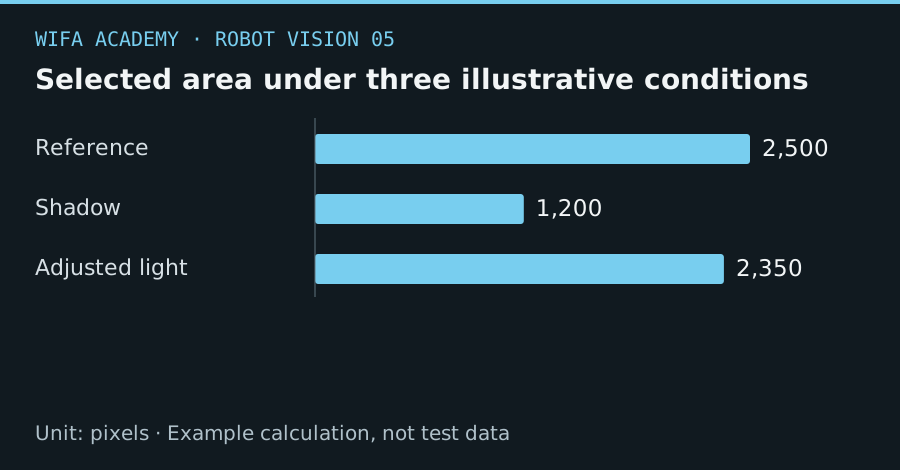
Read the diagram as a data table
| Condition or component | pixels |
|---|---|
| Reference | 2,500 |
| Shadow | 1,200 |
| Adjusted light | 2,350 |
The calculation
coverage = selected_pixels / ROI_pixels
Coverage is a fraction within a defined region of interest. It is a diagnostic statistic, not proof that the selected region is the correct part.
Worked example
If a 100×100 pixel region contains 2,500 selected pixels, coverage is 0.25. A lighting change that reduces this to 1,200 gives 0.12. A large coverage change can reveal an unstable threshold even when a contour still exists.
Try it step by step
- Save representative images and convert with cvtColor using the correct BGR-to-HSV conversion for OpenCV-loaded images.
- Choose bounds from sampled part pixels and account for hue wraparound, especially for red.
- Use inRange to create the mask, then inspect false detections on background-only images before contour extraction.
- Store threshold settings with the lighting and camera configuration and validate on images not used to choose bounds.
Offline starter code
This snippet processes local data only; it sends no robot commands.
import cv2
image = cv2.imread("part.png")
if image is None:
    raise FileNotFoundError("part.png")
hsv = cv2.cvtColor(image, cv2.COLOR_BGR2HSV)
mask = cv2.inRange(hsv, (35, 70, 40), (85, 255, 255))
print("Selected fraction:", (mask > 0).mean())
# Example green bounds only; inspect and tune on your images.
How to check the result
Measure missed parts and background detections across part orientations. Check that selected regions remain spatially plausible, not only large enough.
Common mistake to avoid
OpenCV’s common 8-bit HSV hue range is 0–179, not 0–360. Do not mix thresholds from different representations.
Reference reading
Primary references for the underlying models, APIs or application context. The worked numbers and plots above are educational calculations, not results reported by these sources.